Features Screenshots FAQ Download GitHub

The Premium
Music Aggregator

Free Forever. No Ads. No Tracking.

NekoBeat combines the safety of Rust, the fluidity of React, and the power of GStreamer to deliver audiophile-grade streaming without the bloat.

download Download for Windows code View on GitHub
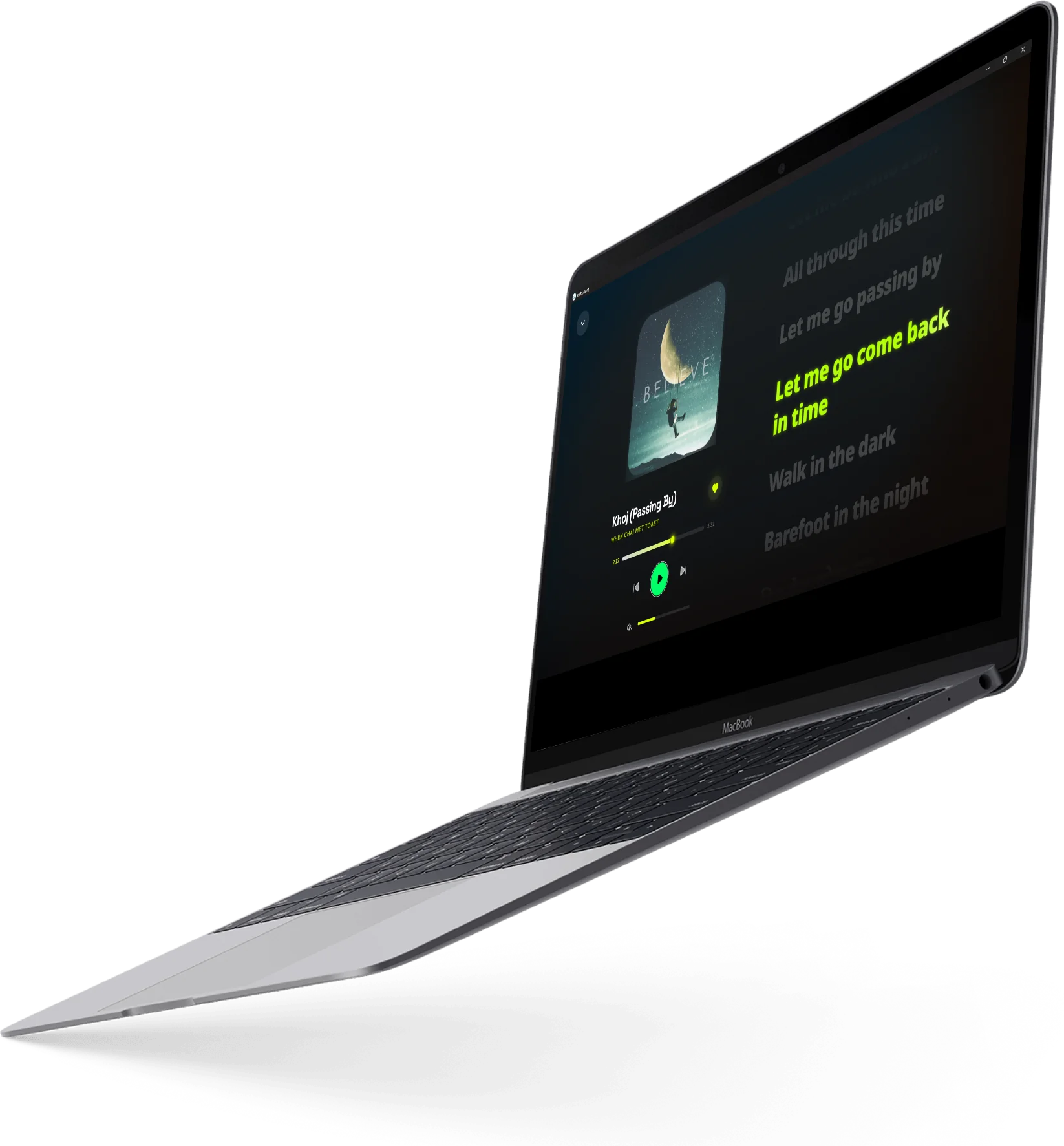
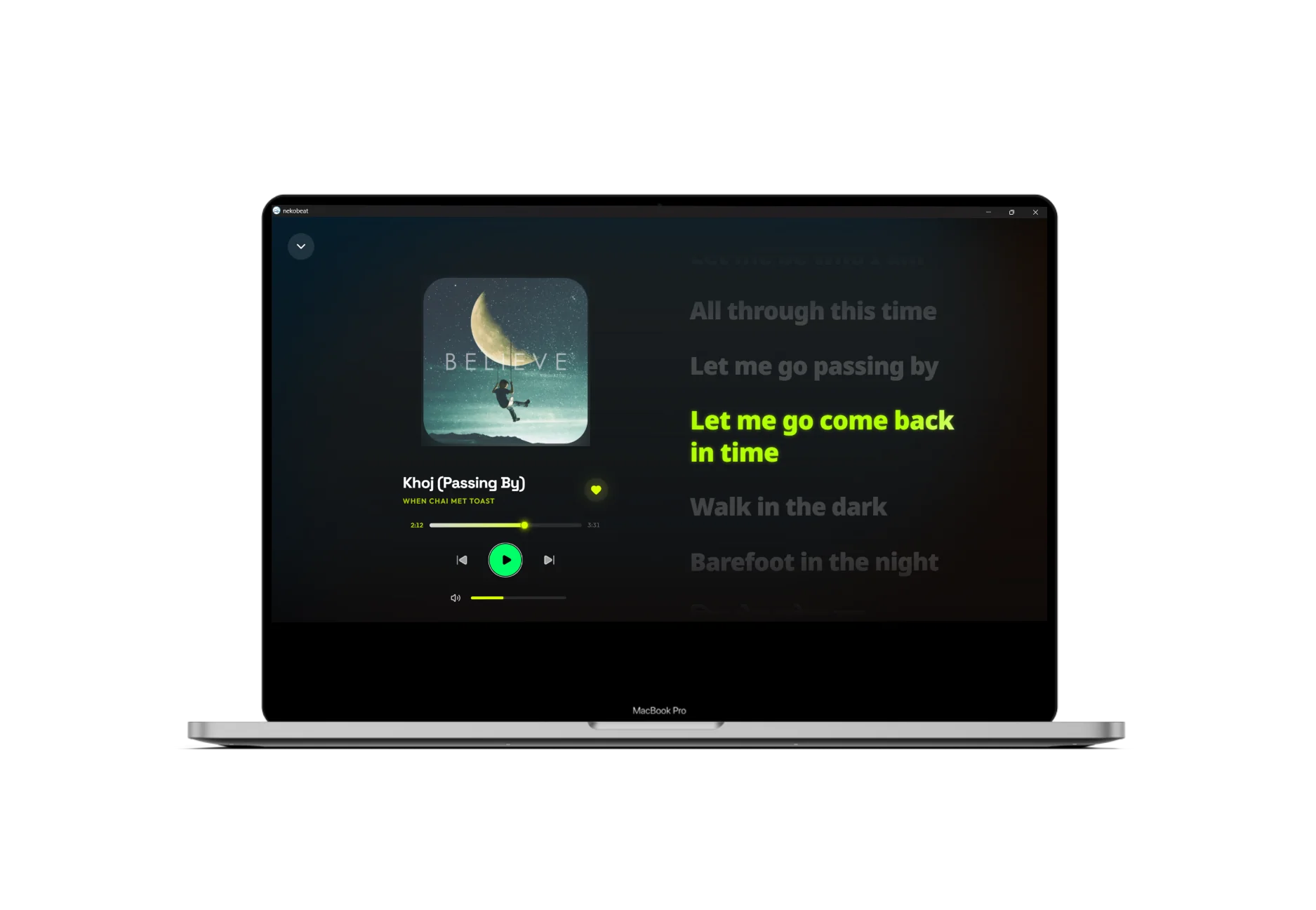
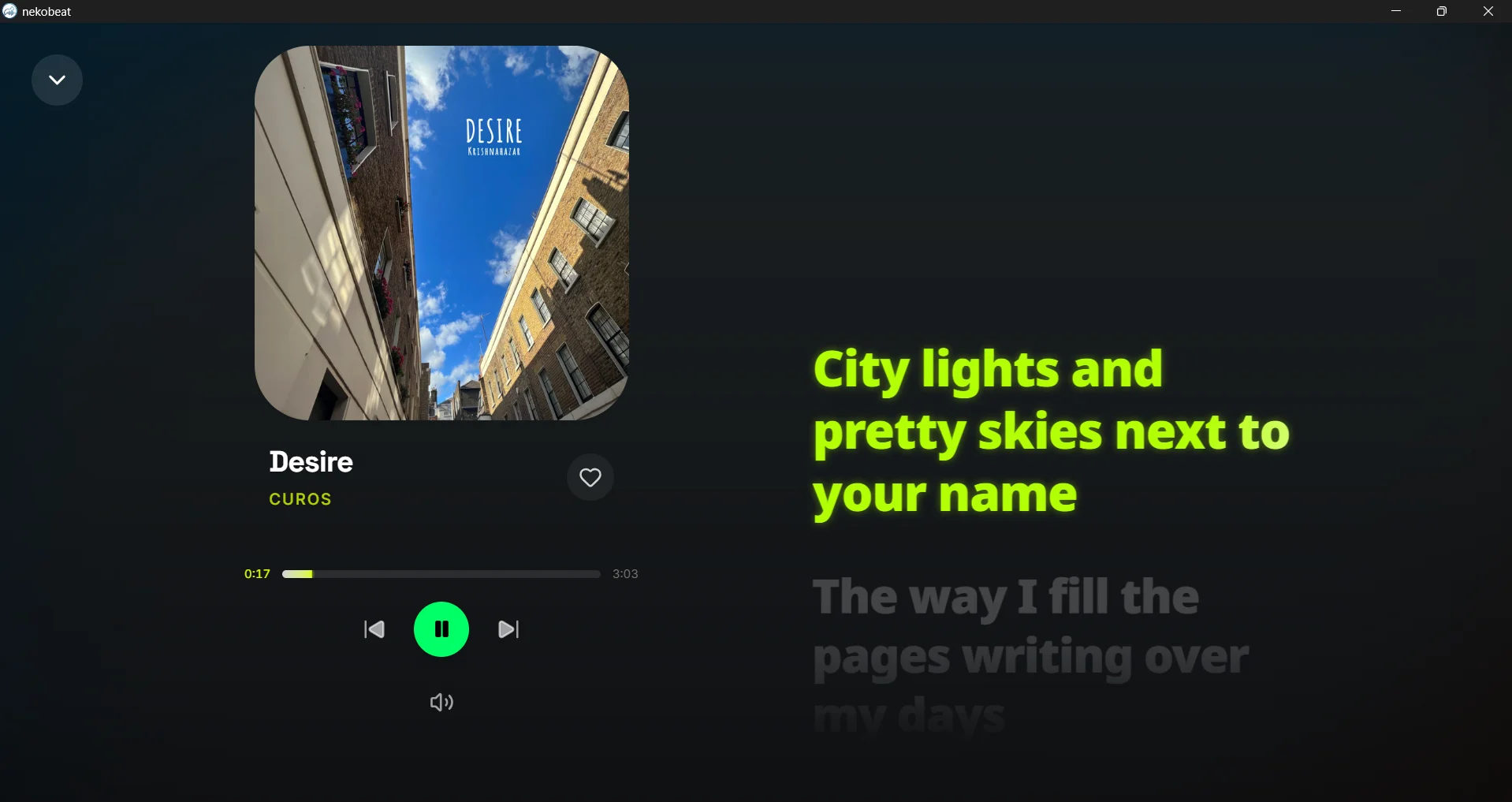
NekoBeat desktop app — expanded player view with album art, synced lyrics, and playback controls

Core Capabilities

The NekoBeat Experience

Redefining how you interact with your sound library through high-performance engineering.

dataset

Universal Aggregation

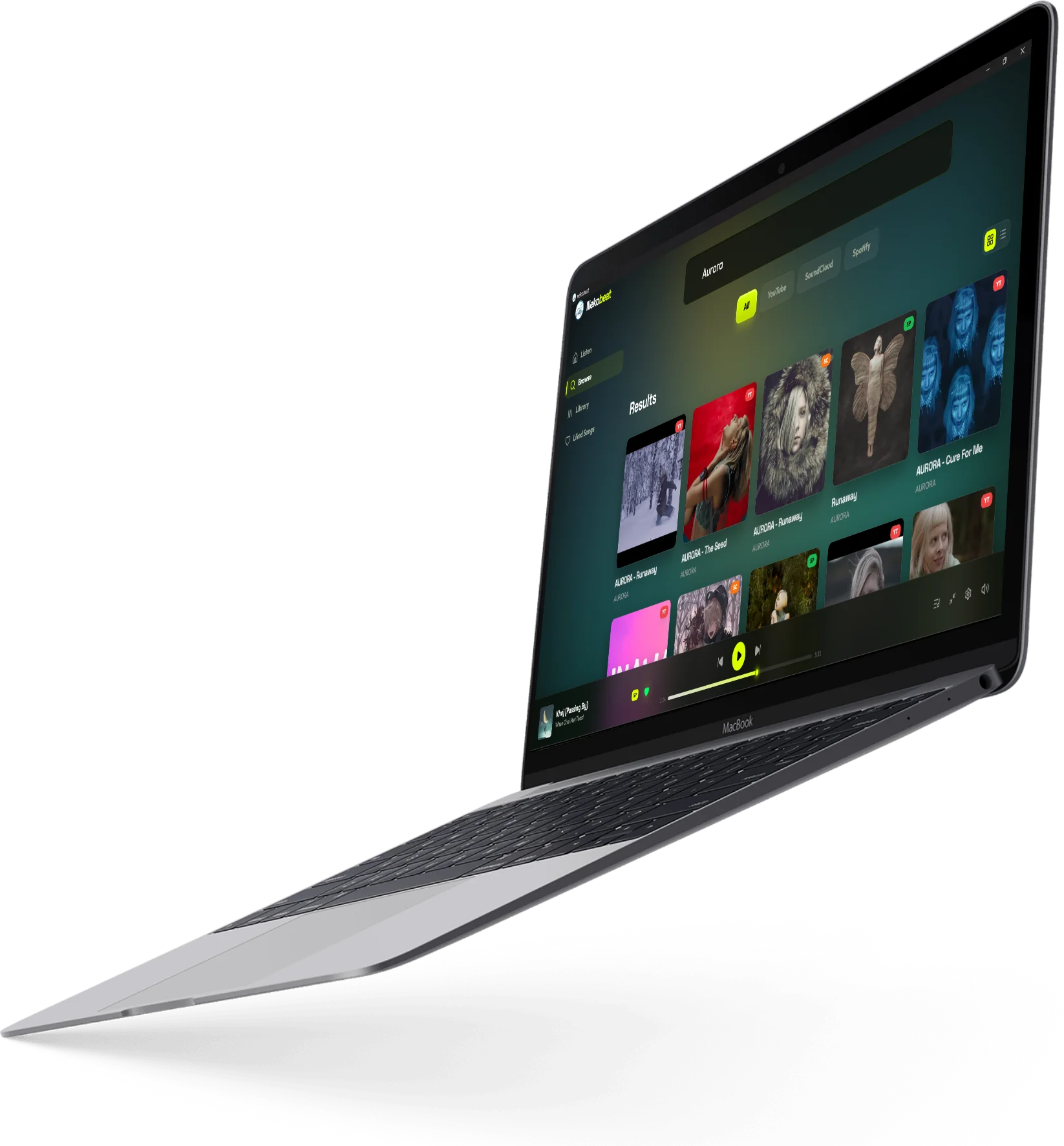
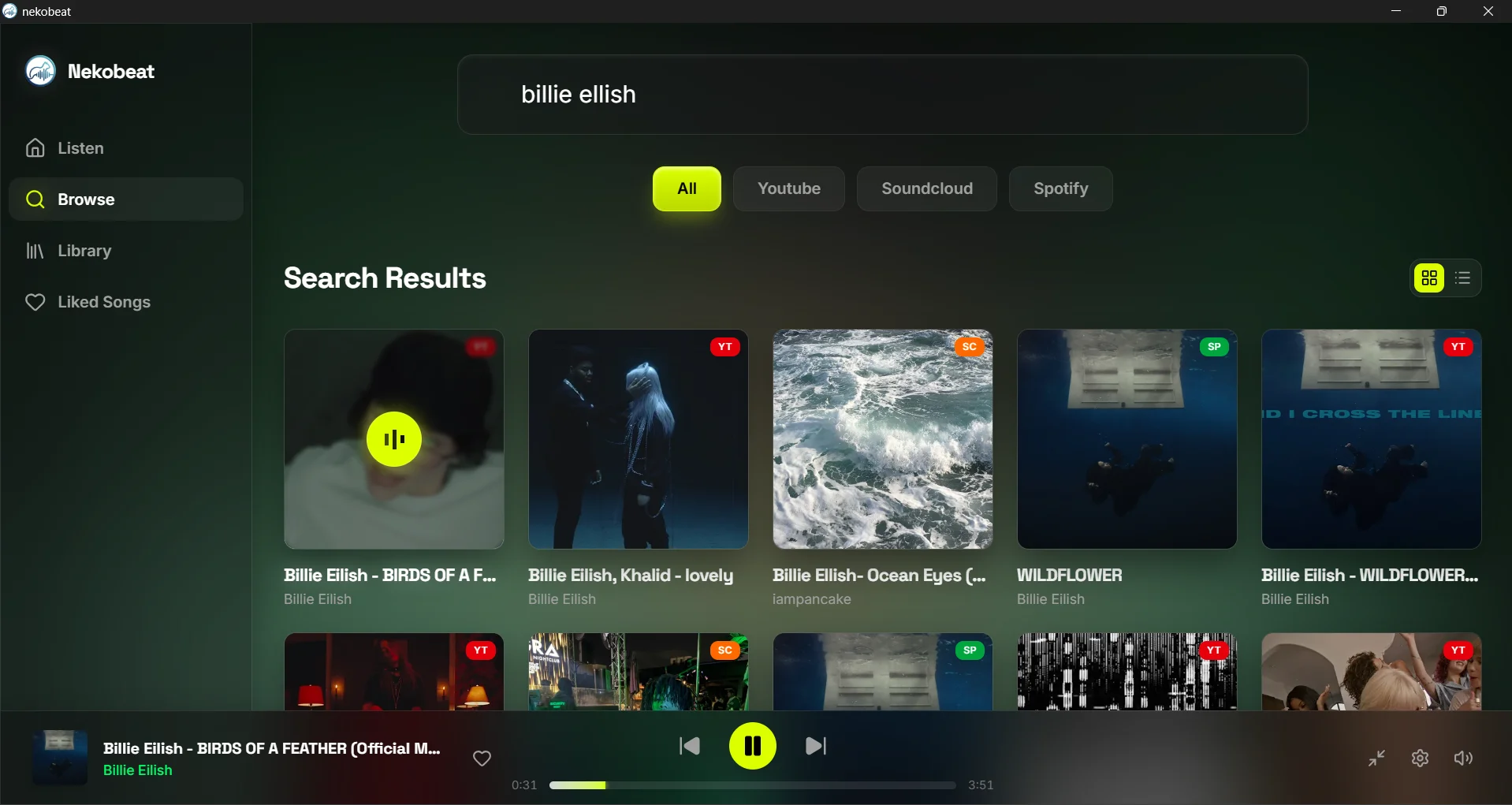
Search YouTube, SoundCloud, and Spotify from one unified portal. Custom scraping engine with yt-dlp fallback for maximum reliability.

cached

Offline Caching

Liked songs are automatically cached to your local drive for zero-latency playback, even offline.

equalizer

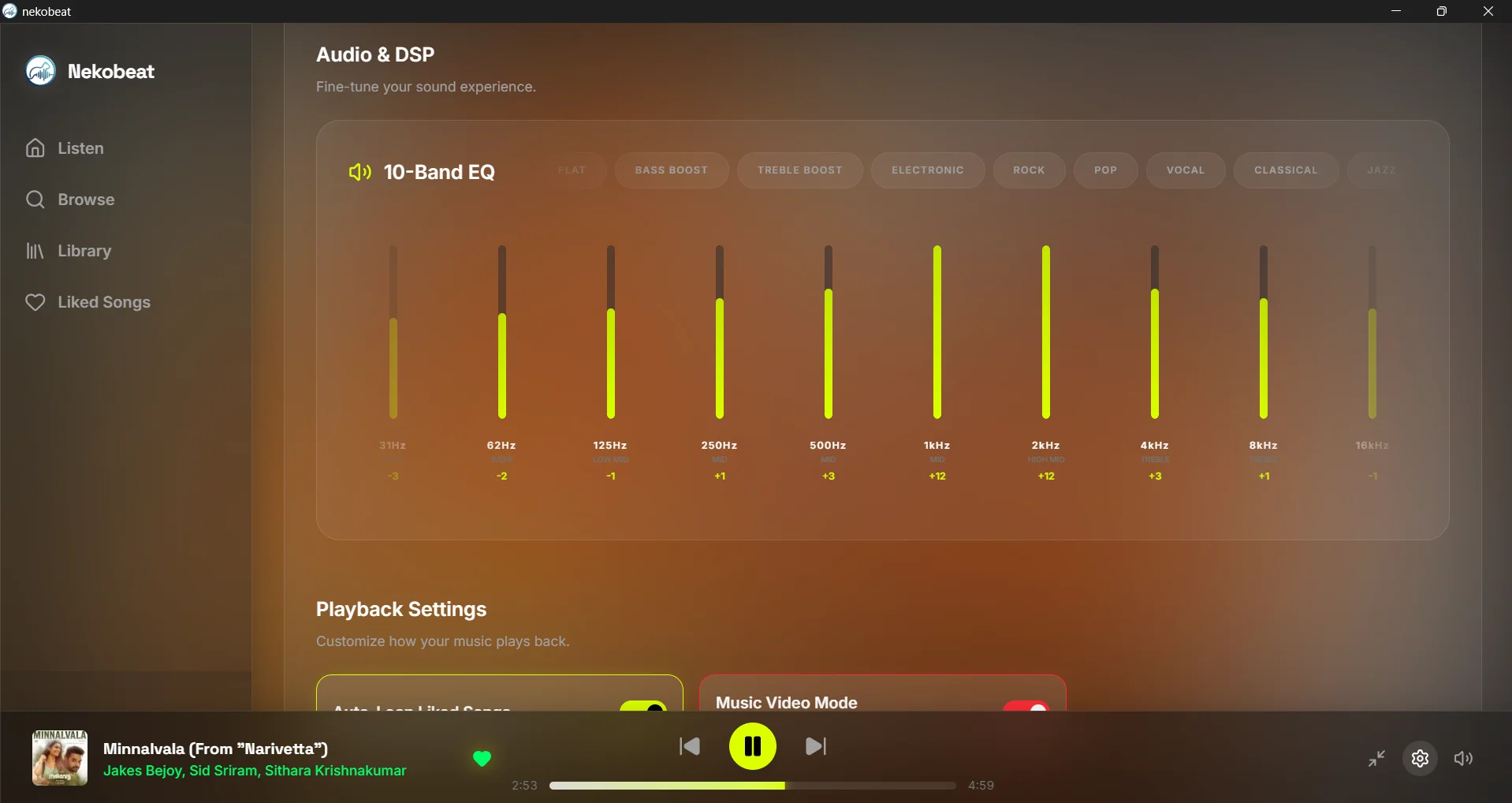
10-Band DSP Equalizer

Hardware-level GStreamer equalizer with 10 dedicated frequency bands from 31Hz to 16kHz.

explore

Smart Discovery

Live Last.fm scraping pulls trending tracks globally. Click any result to route it into the NekoBrowse engine.

lyrics

Custom Lyrics

Upload .lrc, .srt, or .vtt files with auto-conversion to synchronized lyrics that persist across restarts.

stadium

Discord Presence

Zero-bloat Rust integration broadcasts track titles, artists, remaining time, and album art to Discord.

smart_display

YouTube Video Sync

Music videos auto-play in an embedded window, synchronized with the audio stream. Toggle on or off per session.

pip

PiP Miniplayer

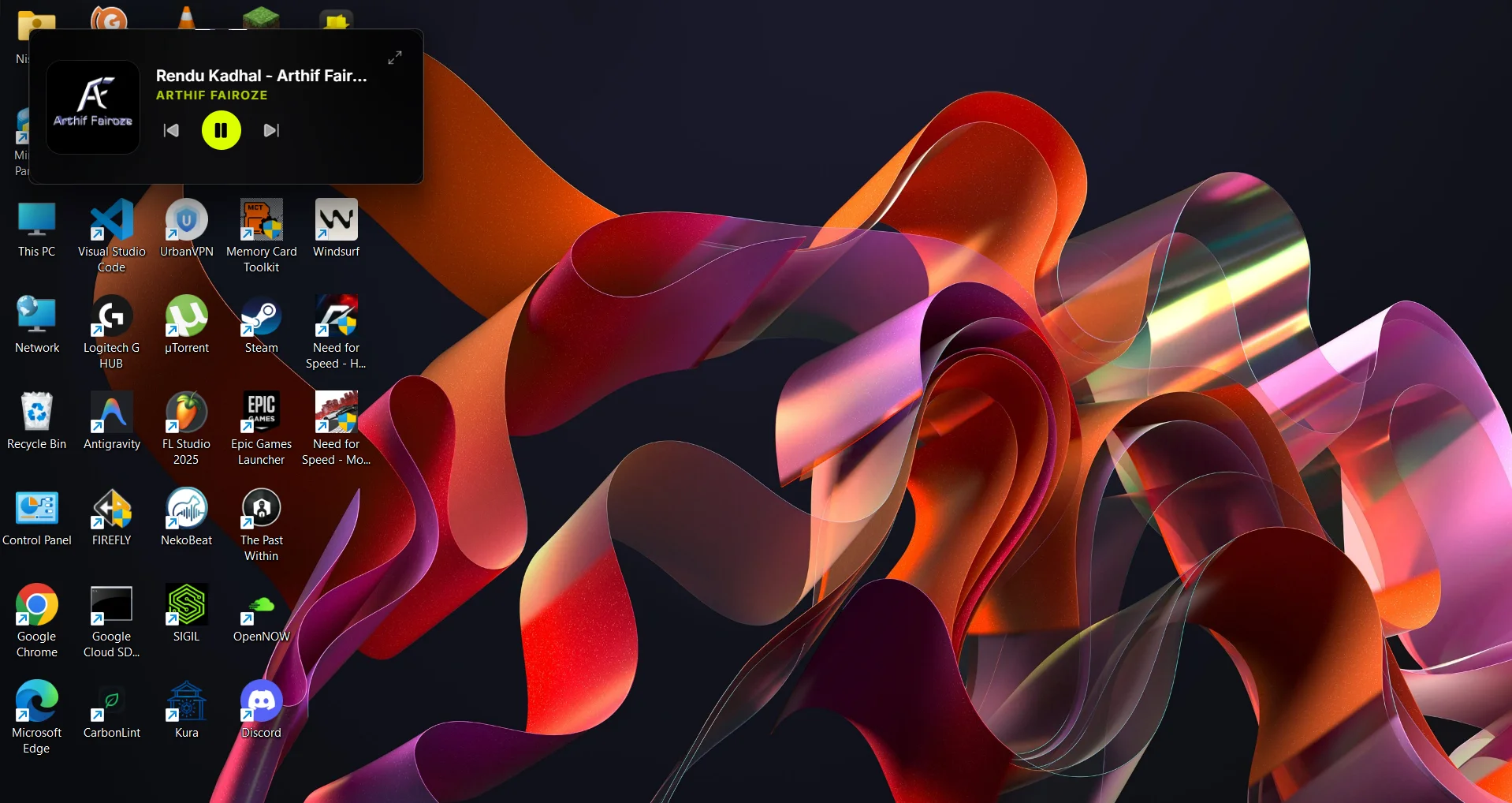
Compact always-on-top floating player with album art, track info, and playback controls. Drag anywhere on screen.

media_bluetooth_on

Media Session / SMTC

Full Windows SMTC integration — play, pause, next, previous, and seek from the system media overlay.

system_update

Auto-Updater

In-app update checking with one-click install. Signed releases via the Tauri updater plugin.

See It In Action

Desktop Experience

Currently available on Windows. macOS, Linux, and Android versions coming soon.

desktop_windows Windows laptop_mac macOS — Soon terminal Linux — Soon phone_android Android — Soon

Built Different.

We didn't just build another Electron app. NekoBeat is engineered for the future with a focus on performance, safety, and native desktop integration.

Rust Tauri v2 React TypeScript Tailwind CSS GStreamer yt-dlp
NekoBeat 10-Band DSP Equalizer with Classical preset active
bolt

Zero Overhead

Playback latency under 12ms with memory under 150MB during active streaming.

Get Started

Install in Seconds

Three steps to audiophile-grade streaming on your Windows PC.

1

Download

Get the installer from GitHub or use winget for automatic updates.

~93MB exe ~100MB msi
2

Install

Run the installer with one click. No admin rights needed.

Auto-updates included
3

Enjoy

Launch NekoBeat and start streaming your favorite music instantly.

Zero configuration
PowerShell — winget
# Recommended: Install via winget (auto-updates)
PS C:\Users\You> winget install NekoBeat

Prefer manual installation?

Download from GitHub
Loading...
GitHub Stars

Show Some Love

Every star fuels my motivation to keep building. If NekoBeat makes your day a bit brighter, hit that star button — it means the world to me!

Star on GitHub forum Join Discussion

chat Got ideas or feedback? Drop them in GitHub Discussions — I read every single one!

FAQ

Frequently Asked Questions

Everything you need to know about NekoBeat.

What is NekoBeat?
NekoBeat is a free, open-source desktop music aggregator and player for Windows. It lets you search and stream music from YouTube, SoundCloud, and Spotify in one unified interface, with features like offline caching, a 10-band DSP equalizer, synchronized lyrics, and Discord Rich Presence.
Is NekoBeat really free?
Yes, completely free. NekoBeat is MIT-licensed open-source software with no ads, no tracking, and no subscription fees. Ever.
Does NekoBeat work offline?
Yes! When you "like" a song, it's automatically cached to your local drive. Once cached, you can play it offline with zero latency. The cache persists across app restarts.
How does NekoBeat compare to Spotify?
Unlike Spotify, NekoBeat is free forever, uses under 150MB RAM (vs 300-500MB), has a 10-band hardware equalizer, and lets you stream from YouTube and SoundCloud. However, Spotify's catalog is larger for mainstream music.
What platforms are supported?
Windows 10/11 is available now. macOS, Linux, and Android versions are in development and coming soon.
Is NekoBeat safe to use?
NekoBeat is built with Rust and Tauri for memory safety. All code is open-source on GitHub. No tracking, no telemetry, no ads. Your listening history stays on your machine.
Can I use my own audio files?
Yes! NekoBeat supports local file playback. You can upload .lrc, .srt, or .vtt files for synchronized lyrics with your own music collection.
How do I report bugs or request features?
Visit our GitHub repository at github.com/nishal21/NekoBeat to open an issue or pull request. We welcome community contributions!

Ready to Hear the Difference?

Join the new era of high-end desktop audio. Free, open-source, and forever uncompromising.

Download NekoBeat